
hooksmith for Mac
Write on iPhone.
Record on Mac.
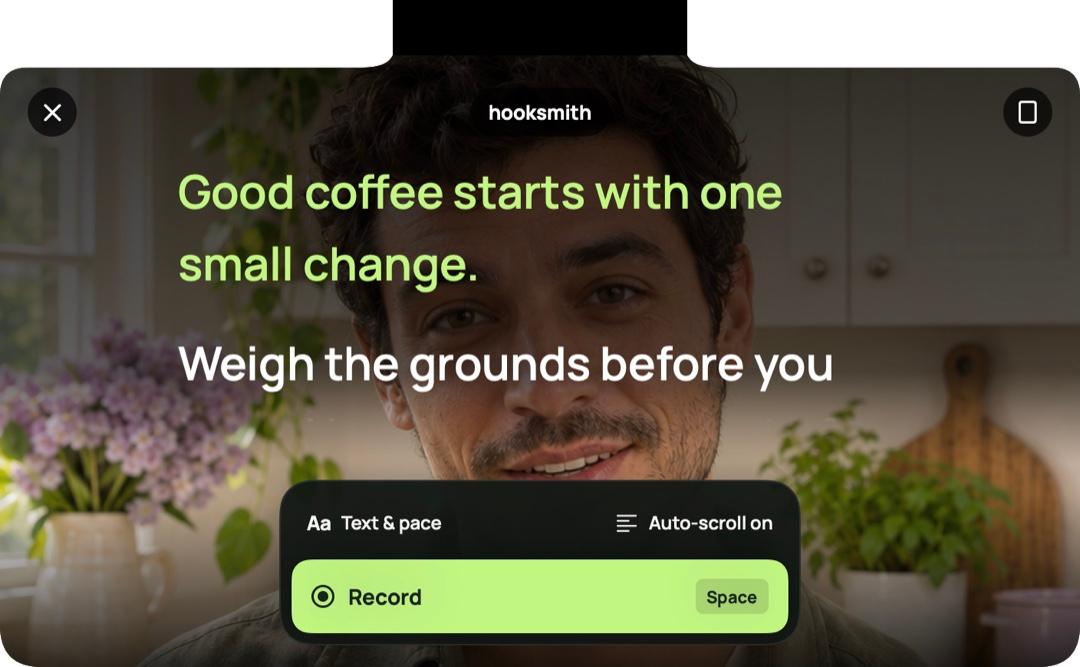
Send your script from your iPhone. It opens in the Mac teleprompter by the camera, ready to read and record.
The Mac app is in private testing. The download will be available when the iPhone update reaches the App Store.
Two apps for recording on Mac.
Install hooksmith on both devices to send scripts to your Mac. You can also write and record entirely on your iPhone.
On iPhone
Create a hook, write and edit your script, then tap Send to Mac when you’re ready to film.
Get hooksmith for iPhone ↗On Mac
Read your script near the camera. Adjust the text and pace, record in portrait or landscape, then review and save the take.
From script to first take.
Install
Unzip the download on your Mac, move hooksmith to Applications, then open it. The hooksmith icon appears in your menu bar.
Pair
Use the same Wi-Fi on both devices. In the Mac menu bar, right-click the hooksmith icon and choose Connect iPhone. On iPhone, go to You → hooksmith for Mac → Connect a Mac and scan the code.
Record
Open a saved script on iPhone and tap Send to Mac. The Mac teleprompter opens with your script. Press Space to record. After your take, choose where to save it.